
Activate Google Maps for motorcycles – complete guide for bikers
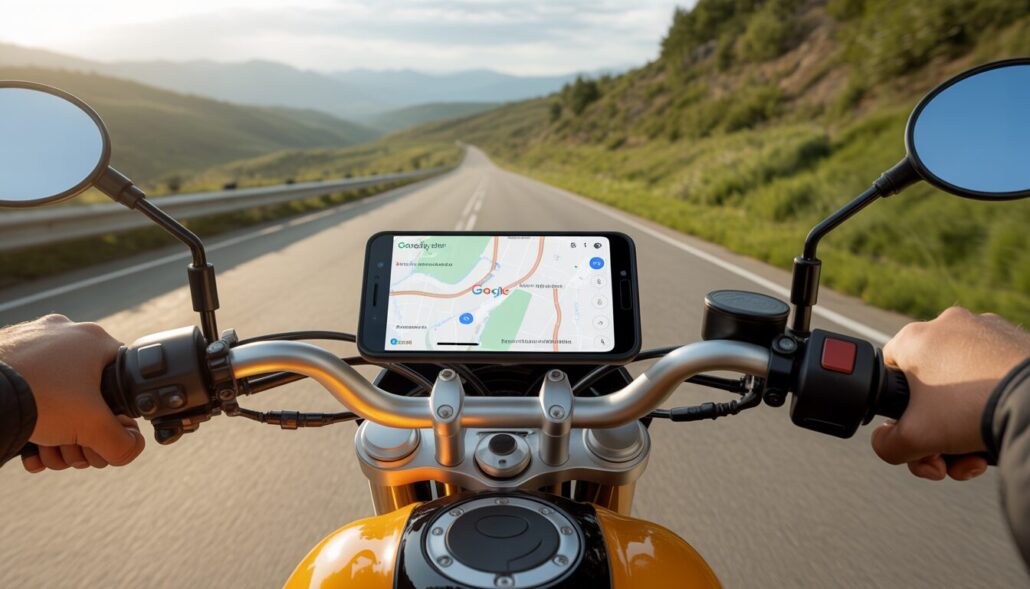
For many motorcyclists, Google Maps has long been more than just a city map. Whether on the way to work, on a weekend trip or on vacation: navigation accompanies you almost constantly. But what many people don't know: Google Maps offers special route guidance for motorcycles and other two-wheelers in certain regions. This feature ensures that routes are better suited to motorcycling, favoring smaller roads and taking two-wheeler restrictions into account. In this guide you will learn in detail how to activate Google Maps for motorcycles, what you can do if the motorcycle symbol is missing, and how Google Maps even knows that you are traveling on a motorcycle.
Why Google Maps makes sense for motorcyclists
As a motorcyclist, you have different needs than car drivers. You don't necessarily want the fastest highway route, but often more winding country roads, clearer paths and routes that are pleasant to drive. At the same time, you have to keep in mind that there are streets where motorcycles or certain two-wheelers are not allowed. This is exactly where Google Maps comes in with motorcycle or two-wheeler navigation.
The special route guidance differs significantly from the classic auto mode. Travel times are estimated more realistically, roads with two-wheeler bans are avoided and the navigation is designed so that you can orientate yourself without constantly checking the display. This makes a noticeable difference, especially in cities or regions with many small side streets.
How to activate Google Maps for motorcycles
To use Google Maps for motorcycles, first open the app on your smartphone as normal. It is important to note that this function is currently only available on mobile devices. After entering your destination, tap “Route”. In the view in which you can normally choose between car, public transport, bicycle or walk, an additional motorcycle or two-wheeler symbol appears - if the function is activated for your region.
Once you select this icon, Google Maps will calculate your route specifically for riding a motorcycle. The app takes different parameters into account than in auto mode and adjusts the route and travel time accordingly. When you see the symbol, you are ready to go straight away.
Why the motorcycle symbol is sometimes missing
Many users encounter a problem at exactly this point: the motorcycle symbol does not appear. This isn't because you're doing anything wrong, but mostly because of the way Google rolls out new features. Motorcycle navigation is not available worldwide and will be gradually activated in individual countries and regions.
In addition, Google activates certain functions on the server side. This means that even if the app version is identical, one user can see the feature while another does not yet get it. However, there are a few things you can do to increase the chances of the option showing up for you.
What to do if the motorcycle icon doesn't appear
First, you should make sure you have the latest version of Google Maps installed. Updates not only bring bug fixes, but often also new functions or activate existing features in the background. A simple app restart or a complete smartphone restart can also help as it eliminates temporary errors.
On Android devices, it is also a good idea to clear the Google Maps cache or app data. This essentially resets the app and reconnects to the Google servers the next time it is started. Many users report that the motorcycle icon suddenly became available afterward. On the iPhone, the most effective way is usually to completely reinstall the app.
In some cases, the region setting can also play a role. If the language or country of your Google Account does not match your actual location, certain features may not be activated. Changing the app language or logging in with your Google account again can also help here. Sometimes, however, all you have to do is be patient, as Google doesn't release new features for all users at the same time.
How does Google Maps know that you are riding a motorcycle?
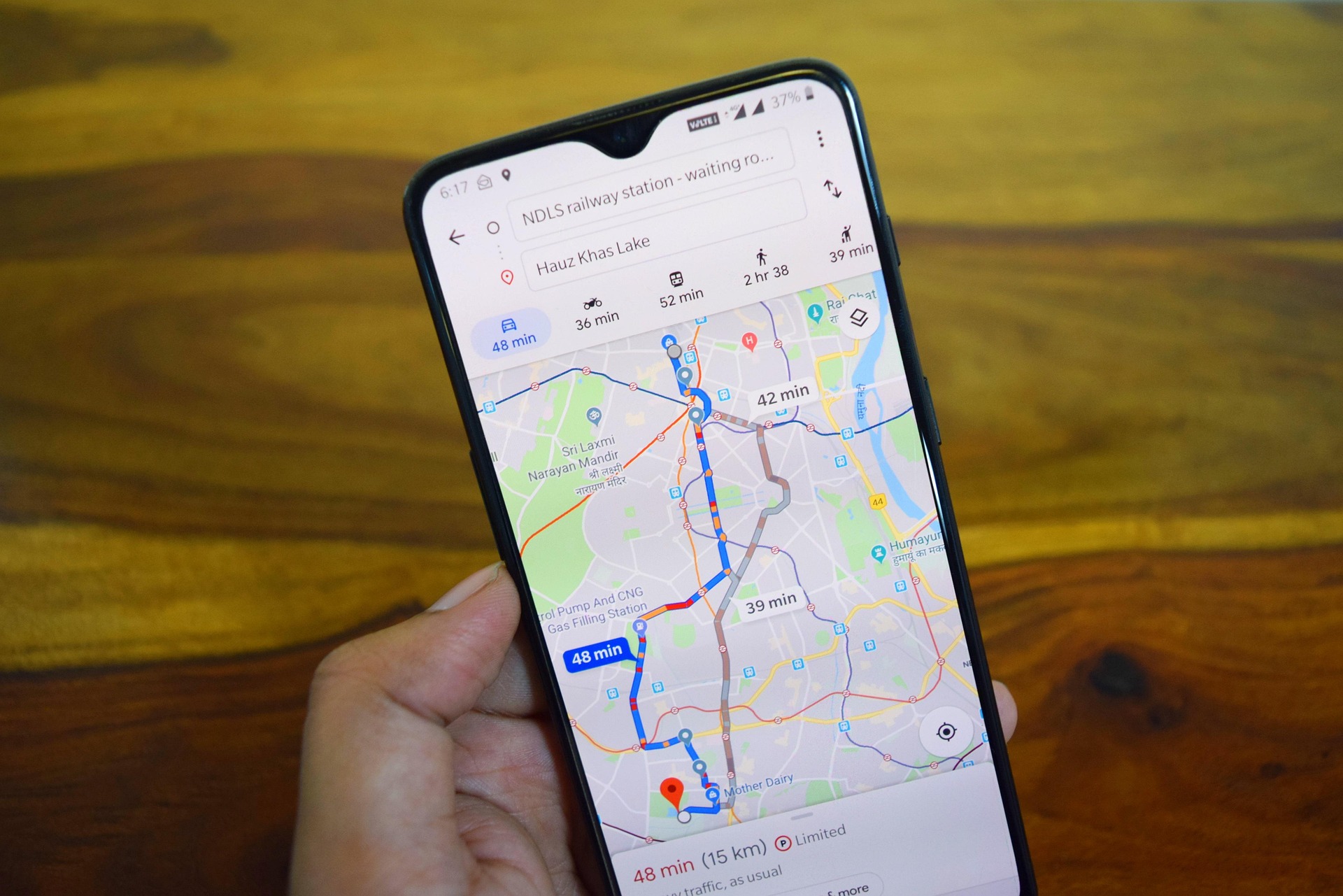
One of the most frequently asked questions is: How does Google Maps actually know that I'm traveling by motorcycle? The answer is simpler than many people think. Google does not “recognize” your motorcycle automatically, but relies on the settings you make yourself.
As soon as you plan a route in Google Maps and actively select the motorcycle or two-wheeler symbol, you tell the app which means of transport you are using. Google calculates the route on this basis. In addition, general movement data is included in anonymized form, such as typical speeds or driving patterns of two-wheelers in certain regions. This data comes from the evaluation of many users and helps Google to further optimize route guidance.
Google Maps does not differentiate between motorcycles, scooters or other motorized two-wheelers, but rather groups them together in one category.
What is important is: The app does not actively track you as a motorcyclist, but rather reacts to your selection in the route planner. Without this selection, Google Maps treats you like a driver or pedestrian - depending on which mode you use.
Safety when navigating your motorcycle
Even though Google Maps is a great help, you should never concentrate entirely on the screen. When riding a motorcycle, safety always comes first. It's best to use voice navigation via a Bluetooth headset in the helmet. This way you can keep your eyes on the road and still get clear instructions.
It is also advisable to take a quick look at the route before setting off, especially on longer tours. This way you know where critical junctions or complicated sections of the route are. In areas with poor cell phone reception, you should save maps offline in advance so that navigation works reliably even without an internet connection.
Google Maps compared to specialized motorcycle apps
Google Maps is ideal for everyday life, for spontaneous trips and for navigating cities. However, if you want to plan specific motorcycle tours with lots of curves, elevation gain or special routes, general navigation apps quickly reach their limits. Specialized motorcycle apps often offer more options, such as specifically avoiding motorways or prioritizing winding routes.
Many experienced bikers therefore combine both worlds: Google Maps for quick navigation and planning on the go, special motorcycle apps for extended tours and vacation trips. This way you can make optimal use of the strengths of both systems.

Frequently asked questions (FAQ)
Is motorcycle navigation available everywhere in Google Maps?
No, the function is not activated worldwide. Google is rolling it out gradually, which is why it is not yet available in some countries or regions.
Does Motorcycle Mode work on Android and iPhone?
Basically yes, but the range of functions can vary depending on the operating system and region. Updates do not always reach Android and iOS users at the same time.
Can Google Maps automatically detect that I am riding a motorcycle?
No. Google Maps only knows that you are traveling by motorcycle if you select the appropriate route mode yourself.
Why does the motorcycle symbol sometimes disappear again?
This could be due to app updates, server changes or regional restrictions. In many cases it helps to reinstall the app or delete the data.
Are there alternatives to Google Maps for motorcyclists?
Yes, there are several specialized apps that are particularly suitable for tour planning. However, Google Maps remains one of the best solutions for everyday life.
Conclusion
Google Maps for Motorcycles is an underrated but extremely useful feature for anyone who regularly travels on two wheels. When the motorcycle icon is available, you benefit from better customized routes, more realistic travel times and an overall more relaxed navigation. Even if the function is not yet available everywhere, it is worth checking regularly for updates and trying out the steps described.
If you use Google Maps consciously and combine it with common sense, the app will become a reliable companion on almost every motorcycle trip - whether in everyday life or on the next big tour. Whether other navigation systems are better for motorcyclists than Google Maps, you can find out in one of our other articles.
For many years I have been intensively involved with motorcycles, their technology and all topics relating to safety, maintenance and equipment. My goal is to present practical information in an understandable way, to realistically assess risks and to objectively classify common myths.
All content on moto-guide.com are based on in-depth research, technical classification and my experience in dealing with motorcycles. I want to help riders make informed decisions and use their motorcycle safely and consciously.




Leave a comment
Participate in the discussion?Leave us your comment!